Shift Scheduling for Small Teams: A Practical Guide
By OnGrid · 26 October 2026 · 8 min read
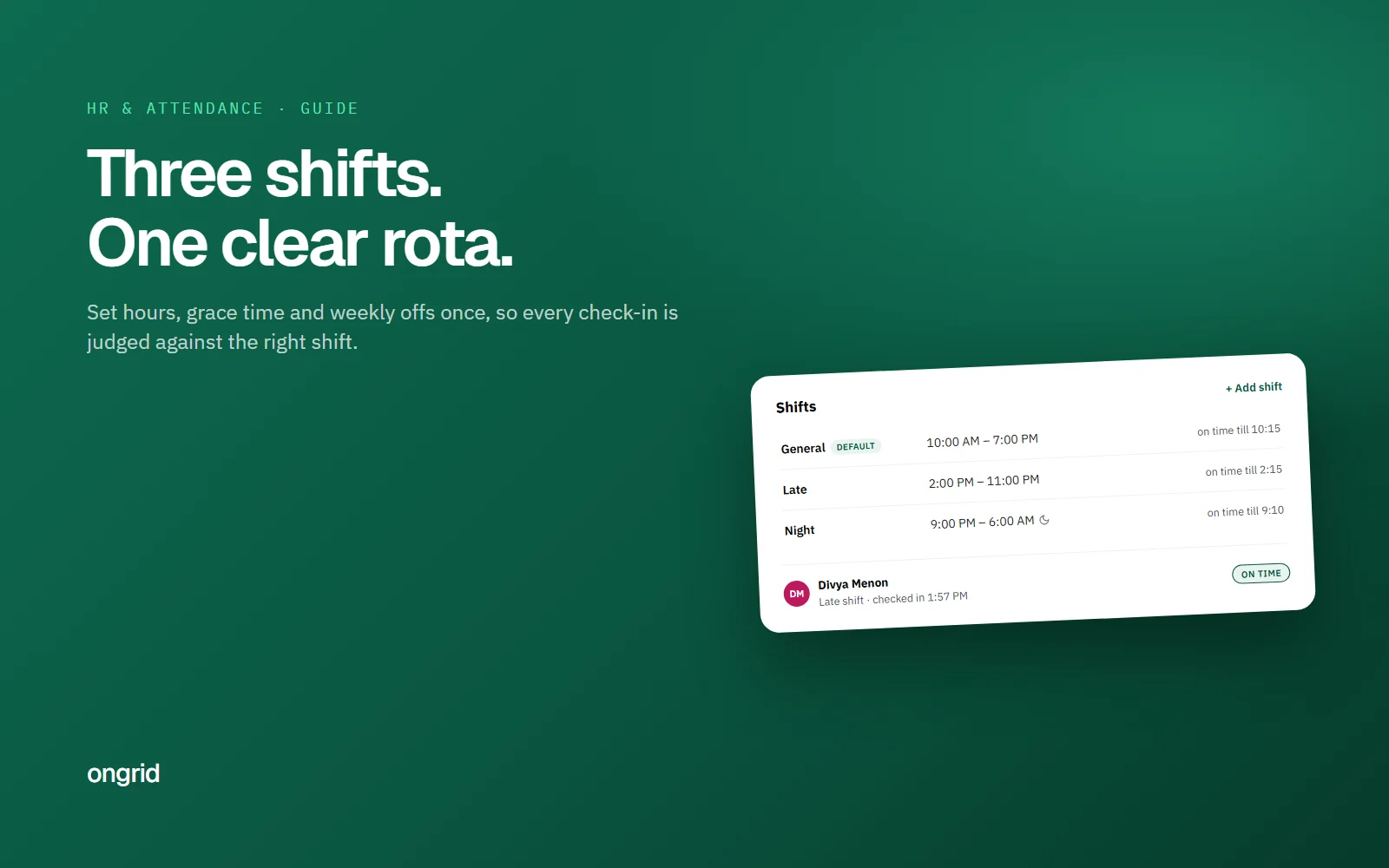
In short
- Good shift scheduling for a small team means two or three clearly named shifts, each with its own start, end and grace time, assigned by team first and by person for exceptions. Publish the rota a week ahead, rotate night shifts forward with at least 11 hours between shifts, and judge every check-in against that person's own shift so late marks are fair.
Most small teams start with one timing for everyone: 10 to 7, Monday to Saturday. Then a US client signs, or the support desk needs cover till 10 p.m., and suddenly half the team is on a different clock. That is when shift scheduling stops being an HR word and becomes a weekly headache.
This guide is for owners and team leads in India running two or three shifts, or just staggered start times. It covers how to build a rota people can follow, how much grace time to give, how to run night and rotating shifts without burning people out, and how to tie it all back to attendance so late marks are fair.
What is shift scheduling, and when does a small team need it?
Shift scheduling is deciding who works which hours on which days, and writing it down so nobody has to ask. A shift is just a named block of time with a start, an end and a rule for when someone counts as late.
You need it the moment one of these is true:
Some people start at a different time from the rest, even by an hour.
Work has to be covered beyond normal office hours (support, operations, overseas clients).
People rotate between early, late or night timings.
You have more than one time zone on the team.
If none of these apply, one default shift is enough. Don't build a rota for a problem you don't have.
How do you build a shift rota from scratch?
Start from coverage, not from people. Work out which hours need someone, then fill them.
List the hours that need cover. For example: client calls 10 a.m. to 7 p.m. IST, US support 6 p.m. to 3 a.m. IST.
Name a small number of shifts. Two or three is plenty. "General 10–7", "Late 2–11", "Night 9 p.m.–6 a.m." Clear names beat clever ones.
Set the rules per shift: start, end, grace minutes, and how early check-in opens.
Assign by team first, then by person. Give the whole support team the Late shift, then override for the two people who do nights this fortnight.
Publish it a week ahead, in the same place every time. A rota that lives in a WhatsApp message gets lost by Wednesday.
Write the swap and leave rules down in a one-page SOP so people don't have to guess.
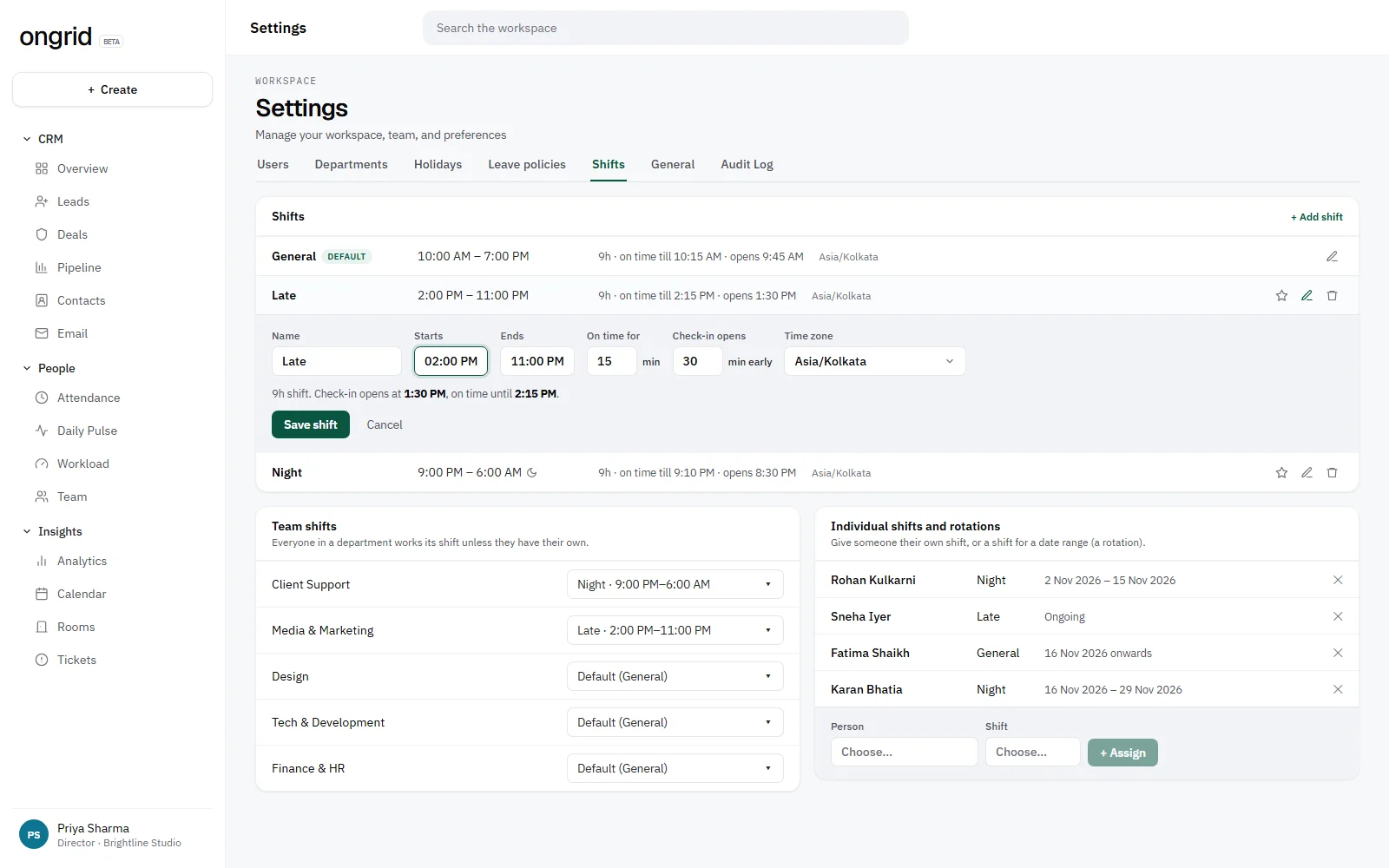
In OnGrid, shifts live under Settings → Shifts. Each one has its own start and end, grace minutes, how early check-in opens and its own time zone. Assignments follow a simple order: a person's dated assignment wins, then their ongoing one, then their department's shift, then the organisation default. That order is worth copying even if you run your rota on paper, because it answers "which rule applies to me today?" without a meeting.
A worked shift scheduling example for a 14-person team
Say you run a design and support agency in Pune with 14 people. Nine are designers and account managers. Five handle support for a client in the US.
General (10:00–19:00, 15 min grace): 9 designers and account managers.
Late (14:00–23:00, 15 min grace): 3 support staff, overlapping the US morning.
Night (21:00–06:00, 10 min grace): 2 support staff, rotating every two weeks.
Weekly offs: every Sunday plus the 2nd and 4th Saturday for General; Late and Night get a fixed weekday off so the desk is never empty.
Night allowance: say ₹200 per night shift. Two people on nights for 22 working days costs about ₹8,800 a month. That is the number to put in front of the client when you price the retainer.
The allowance figure is an example, not a benchmark. Set yours based on what you can sustain and what you charge. If you bill clients for extended cover, read our guide to agency retainer pricing so the night shift is in the price, not eaten from margin.
How much grace time should a shift get?
Grace time is the window after the start time in which someone still counts as on time. Too little and you punish traffic. Too much and the start time stops meaning anything.
A practical rule: 10 to 15 minutes for office shifts in cities with unpredictable commutes, 5 to 10 minutes for shifts that hand over from another person, because someone is waiting. Don't use the same grace for every shift just because it's simpler.
Also decide when check-in opens. If a 10 a.m. shift opens check-in at 6 a.m., people can mark attendance from bed. Opening 30 to 60 minutes before start is usually enough.
How should you run night and rotating shifts?
Night shifts are where most rotas break, and people pay for it with their sleep. A few rules make a real difference:
Rotate forward. Move people from day to evening to night, not the other way. NIOSH's guidance for shift workers notes that forward rotations are easier to adjust to than backward ones, and that weekly rotation is the hardest speed to cope with.
Leave a real gap between shifts. The same NIOSH material cites a recommendation of at least 11 hours between two shifts. Never schedule someone to finish nights at 6 a.m. and start General at 10 a.m. the same day.
Count the night for the day it started. A shift from 21:00 Monday to 06:00 Tuesday is Monday's attendance. Decide this once, or you will get two half-records and an argument.
Women on night shifts need consent and safeguards. Section 43 of the Occupational Safety, Health and Working Conditions Code, 2020 allows women to work before 6 a.m. and after 7 p.m. with their consent, subject to conditions the appropriate government prescribes. Check your state's rules and get consent in writing.
[TEAM NOTE: Add a real example from our own team or a customer: how a night rotation was set up, what went wrong the first month (missed handovers, tired people) and what changed. One specific incident is worth more than any rule above.]
How do you handle shift swaps without chaos?
Swaps are normal. The mess comes from swaps nobody recorded. Keep it simple:
The person asking finds their own cover from people on a compatible shift.
Both tell the team lead in writing, in one shared place.
The lead updates the rota for those dates, so attendance judges each person against the shift they actually worked.
Swaps that break the 11-hour gap get refused, even if both people agree.
In OnGrid the clean way to record a swap is a dated shift assignment for each person, for example "Night, 1–14 Nov". It overrides their usual shift for those days only, so nobody shows up as late for a timing they weren't on.
How do weekly offs and holidays fit into a shift rota?
The common Indian office pattern is every Sunday off plus the 2nd and 4th Saturday. That works for General shifts. It doesn't work for a support desk that has to be open on Saturdays.
For cover shifts, give each person a fixed weekday off instead, and stagger them. Under section 26 of the OSH Code, a worker who is made to work on a weekly holiday under an exemption gets compensatory holidays, within that month or the two after. Even where the Code doesn't strictly apply to you, "you worked your off day, take another" is the fair default.
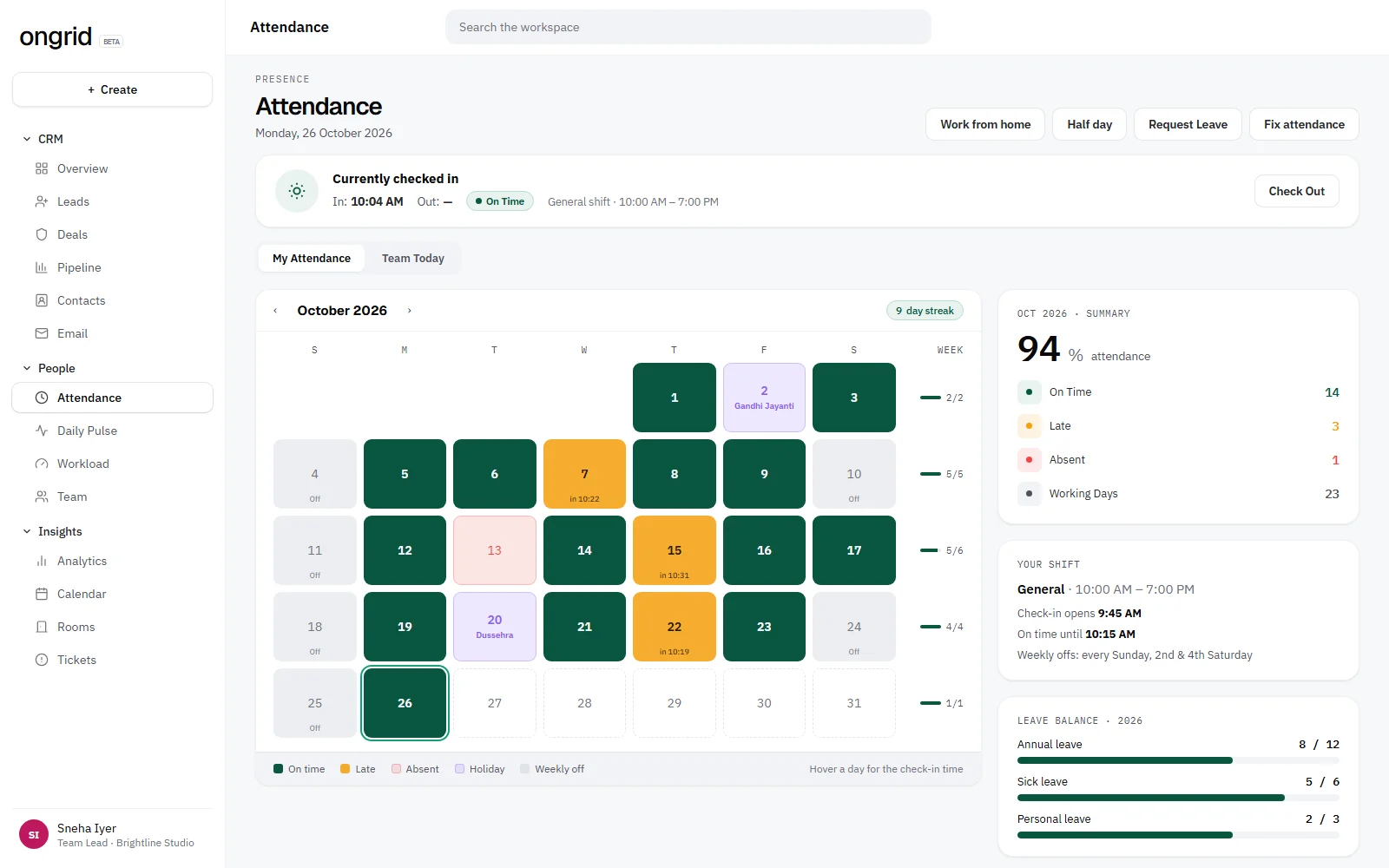
Write your holiday list and off-day rules into your leave policy, so shifts, leave and holidays all follow one document.
How do shifts connect to attendance and late marks?
This is where most small teams get it wrong. They set up shifts, then judge everyone's attendance against 10 a.m. anyway. The late shift person who walked in at 2:05 gets a late mark for being four hours "late".
Late marks only mean something if each check-in is compared with that person's own shift on that date. Check that your system does this before you start counting lates towards anything that affects pay.
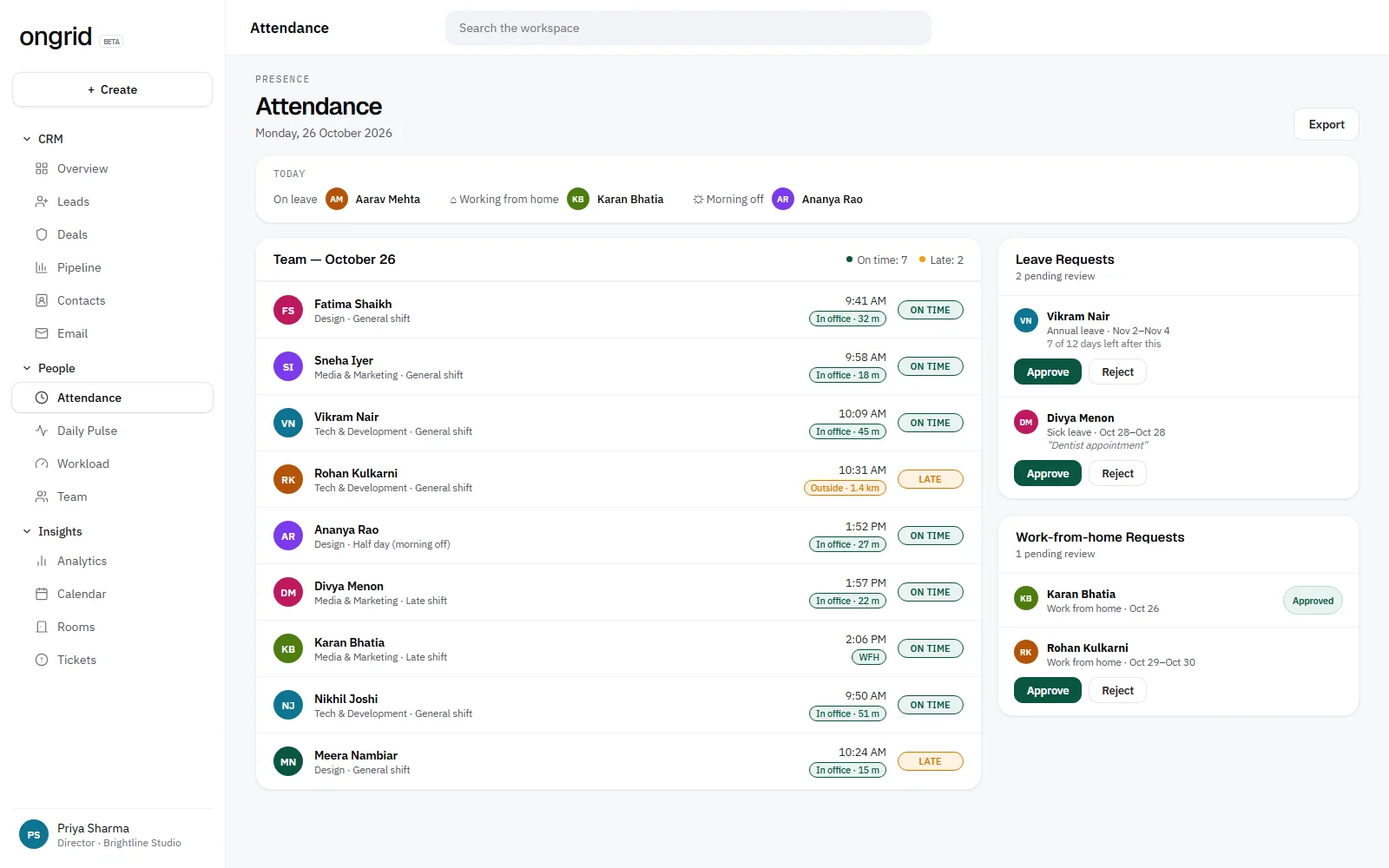
If you're still on registers or spreadsheets, our guide to attendance management for small businesses walks through the options. And if part of the team checks in from the field or from home, a mobile attendance app with a location check saves you from "I was there, I just forgot to sign".
[TEAM NOTE: Add our own numbers here, such as how many late marks disappeared in the first month once each person was judged against their own shift, or a quote from a team lead about fewer attendance disputes.]
Common shift scheduling mistakes to avoid
Too many shifts. Five shifts for twelve people is a spreadsheet nobody can read. Merge timings that are within an hour of each other.
Changing the rota on Sunday night. Publish a week ahead. Last-minute changes are when people stop trusting it.
No owner. One person updates the rota. Everyone else asks them.
Ignoring workload. A shift tells you when someone works, not how much is on their plate. Check workload before you put your busiest designer on extra late shifts.
Running standups at a time only one shift can attend. Move it to the overlap, or use a written daily standup for the people who aren't there.
A rota people trust beats a clever rota. Keep shifts few, publish early, judge each person against their own timing.
Getting started this week
Pick one team, write down the hours it has to cover, and define no more than three shifts with their grace times. Assign them, publish the rota for next week, and only then look at attendance. If work from home is part of the mix, decide whether WFH days follow the same shift timings (they usually should).
If you'd rather not run shifts, attendance and leave in three separate spreadsheets, OnGrid's attendance and leave tools keep shifts, check-ins, weekly offs and holidays in one place, next to your projects and tasks.
Frequently asked questions
How many shifts should a small team have?
Usually two or three. Each extra shift adds handovers and makes the rota harder to read. If two timings start within an hour of each other, merge them into one shift with a slightly longer grace time.
What is a fair grace period for late coming?
Most office teams in Indian cities use 10 to 15 minutes. Shifts that hand over to another person can be tighter, around 5 to 10 minutes, because someone is waiting to leave. Whatever you pick, write it in your policy and apply it to everyone on that shift.
How often should night shifts rotate?
Avoid rotating every week, which NIOSH guidance describes as the hardest rotation speed. Many teams rotate nights every two weeks, always moving forward from day to evening to night, and keep at least 11 hours between the end of one shift and the start of the next.
Can women employees work night shifts in India?
Under section 43 of the Occupational Safety, Health and Working Conditions Code, 2020, women may work before 6 a.m. and after 7 p.m. with their consent, subject to conditions set by the appropriate government. Get written consent and check your state's rules on safety and transport.
Which day does an overnight shift count for in attendance?
Count it for the day the shift started. A shift from 9 p.m. Monday to 6 a.m. Tuesday is Monday's attendance. Deciding this once avoids split records and disputes over absences.