Content Calendar for Agencies: How to Plan Social Media for Multiple Clients
By Gaurav Sharma · 15 October 2026 · 6 min read
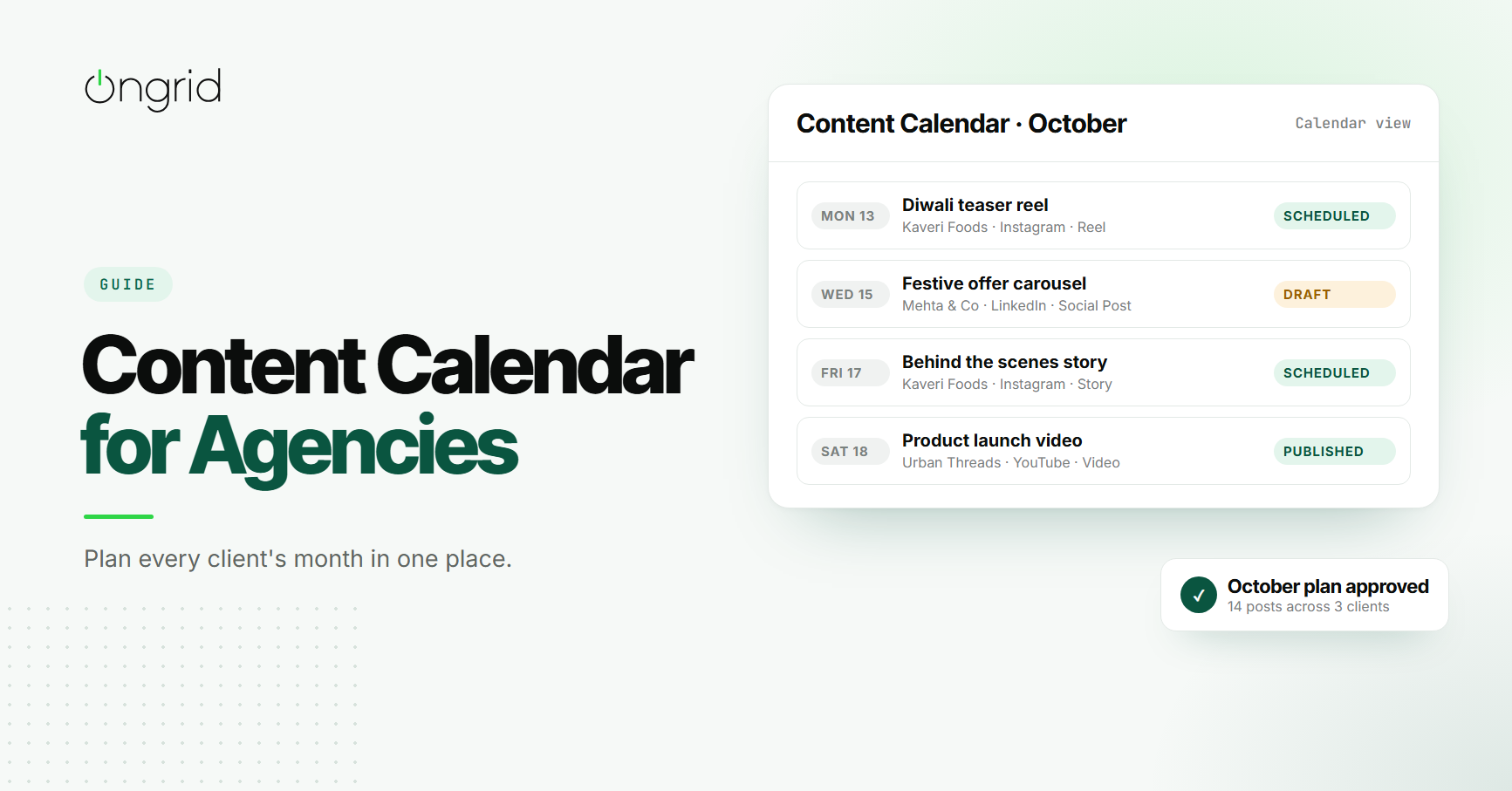
In short
- A content calendar for agencies should show every client's posts in one place, with platform, format, owner, client, date and status for each item. Plan monthly, get the calendar approved before production starts, keep captions and notes on the item itself, and review what is scheduled each week.
It is the last week of September. Your agency handles social media for five clients. One wants a Navratri series, two want Diwali campaigns, one is launching a new product, and the fifth just wants "the usual, but more festive".
The plan lives in three places: a Google Sheet for two clients, a WhatsApp group for another, and the account manager's head for the rest. On the 14th of October, a client asks why yesterday's post did not go out. Nobody is quite sure whose job it was.
A shared content calendar fixes this. Not a pretty grid you make once a month to impress clients, but a working tool your team uses every day to plan, produce, approve and publish content across every account.
Here is how to set one up for an agency, what to put in it, and a simple monthly process to keep it running.
What Is a Content Calendar?
A content calendar is a schedule of the content you plan to publish. For each piece, it shows what it is, which platform it is for, who is responsible, when it is due and where it stands.
Publishers have used editorial calendars for decades to plan issues in advance. An agency content calendar does the same job, with one big difference: you are running it for many clients at once, each with their own brand, approvers and deadlines.
Why Agency Calendars Fall Apart
One Spreadsheet per Client
Separate sheets feel tidy at first. But your designers and copywriters work across clients. If each client has its own file, nobody can see that one designer has nine posts due on the same Friday.
The Calendar Shows Dates, Not Status
A grid of post titles tells you what is planned. It does not tell you whether the caption is written, the design is done, or the client has approved it. Without status, the calendar quietly drifts away from reality.
Captions and Feedback Live Somewhere Else
The plan is in a sheet, the captions are in a document, the designs are in a drive folder and the client's feedback is on WhatsApp. Pulling it together for each post takes longer than making it.
Approvals Happen Post by Post
If every post goes to the client individually, a month of content means dozens of separate approval requests. Some get lost, some get answered late, and the publishing date passes while you wait.
What to Include in an Agency Content Calendar
Whatever tool you use, each item in your calendar should carry these fields:
Title: a short, recognisable name, like "Diwali teaser reel" rather than "Post 4".
Client: which account it belongs to. This is what makes one combined calendar workable.
Platform: Instagram, LinkedIn, YouTube, Facebook, email or the client's website.
Content type: social post, reel, story, video, blog, email or a full campaign.
Scheduled date: when it goes live, not when the design is due.
Owner: one person responsible for getting it out.
Status: a few clear stages, such as draft, scheduled, published or cancelled.
Caption or copy: the actual text, stored on the item itself.
Internal notes: creative direction, references and anything the team needs but the client does not.
Tags: campaign names, content pillars or festivals, so you can filter later.
A Simple Monthly Planning Workflow
1. Start With the Big Dates (Week 1 of the Previous Month)
List the festivals, sales, launches and events that matter to each client in the coming month. In India, that might be Navratri, Diwali, Independence Day or the start of the wedding season. These anchor everything else.
2. Agree on Content Pillars per Client
Most brands work best with three to five recurring themes. For a food brand, it might be recipes, behind the scenes, product spotlights and customer stories. Pillars make planning faster and keep the feed from feeling random.
3. Fill the Calendar (Week 2)
Plot each post for the month against the pillars and big dates, with platform, format and owner. Check the combined view for clashes, such as one designer with too many items due in the same week, before anything is final. Our guide to workload management covers how to spot and fix this.
4. Get the Month Approved in One Go (Week 3)
Send the client the full month's plan for approval before production starts. One review of the plan is far easier than thirty separate approvals later. Agree upfront on how individual posts will be signed off after that, using a clear client approval process.
5. Produce in Batches (Week 3 to 4)
Write all captions for a client in one sitting, then design in batches. Batching saves the mental cost of switching between brands every hour.
6. Schedule and Update Status
As each post is approved and scheduled, update its status in the calendar. If something is cancelled or moved, change it there too. The calendar should always reflect what is actually happening.
7. Review Weekly
Every Monday, look at what is due in the next seven days across all clients. Anything still in draft that goes live this week is a priority.
What a Planned Week Looks Like
Here is a simplified week for an agency handling three clients during the festive season:
Monday: Kaveri Foods, Diwali teaser reel on Instagram. Owner: Priya. Status: scheduled.
Tuesday: Urban Threads, new collection carousel on Instagram and Facebook. Owner: Kabir. Status: scheduled.
Wednesday: Mehta & Co, festive offer post on LinkedIn. Owner: Meera. Status: draft, waiting on final copy from the client.
Thursday: Kaveri Foods, recipe story series. Owner: Priya. Status: draft.
Friday: Urban Threads, behind-the-scenes video on YouTube. Owner: Dev. Status: scheduled.
Even this small example tells you a lot at a glance. Wednesday is the risk, because it depends on the client. Priya has two items in the same week for the same client, which is manageable. If a fourth client were added with a Thursday deadline for Priya as well, you would see the clash before it happened, not after.
That is the real value of one combined view. It turns a planning document into an early warning system.
Repurpose Before You Create
One of the easiest ways to keep a full calendar without burning out your team is to plan repurposing from the start. A single product shoot can become a reel, three feed posts, a set of stories and a LinkedIn update.
When you fill the calendar, mark which items come from the same source material. Your designers can then produce them together, and the client sees a consistent campaign instead of disconnected posts.
Common Planning Mistakes to Avoid
Planning only a week ahead. It leaves no time for client approval and turns every post into a rush job.
Leaving owners blank. "The team" is not an owner. Every item needs one name.
Treating the plan as fixed. News, trends and client requests will change things. Update the calendar instead of working around it.
Hiding the calendar from the team. Designers and copywriters should see the whole month, not receive tasks one at a time.
Skipping the brief for campaigns. Big festive campaigns deserve a proper creative brief, not a line in a spreadsheet.
How OnGrid Helps Agencies Plan Content
OnGrid includes a Content Calendar built for agencies managing several clients. Each item holds a title, content type (social post, reel, story, video, blog, email or campaign), platform, scheduled date, status, department, the person it is assigned to, the client, the caption and internal notes, plus tags.
You can switch between a monthly calendar view and a list view, with each item marked by its platform. Statuses run from draft to scheduled, published or cancelled, so the calendar shows where every post actually stands.
If your plan currently lives in a spreadsheet, you can import it from a CSV file and export it again whenever you need to. Team leads and directors create and edit items, while the rest of the team can see the full plan.
And because it sits alongside your tasks, projects and client records, the calendar stays connected to the work behind each post.
Final Thoughts
A calendar only works if it is the place your team actually plans and tracks content, not a nice grid you update after the fact.
Keep every client in one combined view, give each item an owner and a status, store captions and notes on the item itself, and get the month approved before production starts.
Do that, and the next "why didn't yesterday's post go out?" will have a clear answer, or more likely, will never need to be asked.
Frequently asked questions
1. What is a content calendar?
A content calendar is a schedule of the content you plan to publish, showing what each post is, where it will go, who is responsible and when it is due. Agencies use it to plan and track content for all their clients in one place.
2. What should an agency content calendar include?
At minimum: title, client, platform, content type, scheduled date, owner, status, caption or copy, and internal notes such as creative direction or references.
3. How far ahead should an agency plan its content calendar?
Most agencies plan a month ahead, with a rough outline of the following month for big dates like festivals, launches or sales. Plan festive campaigns six to eight weeks early.
4. Should clients see the content calendar?
Yes, at least a version of it. Sharing the monthly plan for approval before production starts prevents most last-minute changes. Keep internal notes and team assignments separate from what the client sees.
5. Should each client have a separate content calendar?
It helps to be able to see each client on their own, but your team also needs one combined view. Otherwise it is impossible to tell when one designer has twelve posts due on the same day across different clients.