Project Management Software for Agencies in India: 4 Tools Compared (2026)
By Ongrid.work · 20 November 2026 · 4 min read
In short
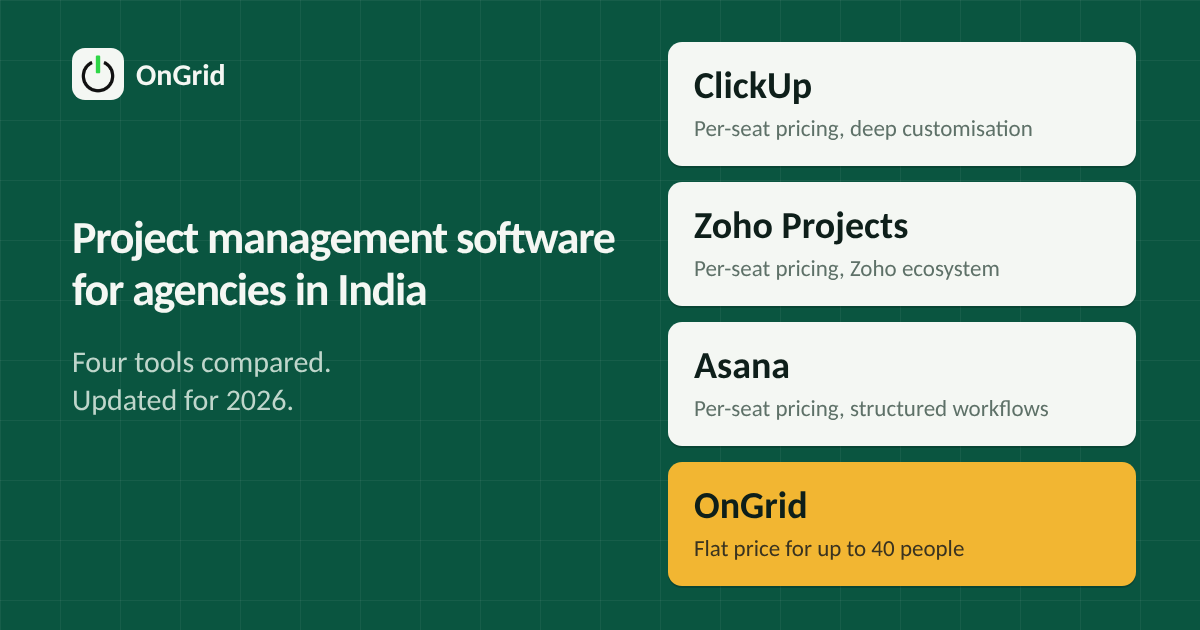
- The best project management software for agencies in India depends on team size and what else you need. ClickUp suits teams who want deep customisation, Zoho Projects suits budget-focused teams in the Zoho ecosystem, Asana suits structured workflows, and OnGrid suits agencies of up to 40 people who want projects, attendance, approvals and CRM in one flat-priced tool.
Choosing project management software for agencies in India is harder than it looks, because most tools were built for US teams, price every seat in dollars, and leave attendance, leave approvals and CRM to other apps. This post compares four options (ClickUp, Zoho Projects, Asana and OnGrid) on price, features and fit, and shows how to work out which one suits your agency. It is written by OnGrid, so we have been explicit about where each tool is stronger.
What should project management software for agencies in India do?
It should handle the work agencies actually do: client briefs, tasks and deadlines, workload across people, client approvals and status updates. For Indian agencies, four extra things matter: pricing that stays predictable as you hire, GST-ready billing, support for leave and attendance, and a setup simple enough that designers and writers will actually use it. A tool that only manages tasks leaves you running three or four other apps next to it.
How do the four tools compare?
Tool | Pricing model | Entry price (as listed) | Best for | Watch out for |
|---|---|---|---|---|
ClickUp | Per seat | Free plan; paid from $7 per user per month, billed annually | Teams that want deep customisation | Many options to configure, and seats add up |
Zoho Projects | Per seat | Free plan; paid from $4 per user per month, billed annually | Budget-focused teams already using Zoho | HR, attendance and CRM are separate Zoho products |
Asana | Per seat | Free plan for small teams (capped at 10 users) | Structured task and workflow management | Per-seat cost grows with headcount; check current plans |
OnGrid | Flat per company | ₹4,999 per month for up to 15 people (GST extra) | Agencies of up to 40 people who want projects, attendance, approvals and CRM together | No payroll, no biometric or GPS check-in, no shift rosters |
Prices change often and differ by billing period and currency. Check each vendor’s pricing page before you decide.
How much does each tool cost for a 15-person agency?
Per-seat pricing means your bill grows with every hire, so work out the total for your own headcount. Here is the maths for 15 people, based on listed US-dollar prices:
ClickUp Unlimited: $7 per user per month billed annually, or $10 billed monthly, which is $105 or $150 a month for 15 people. tinycommand
Zoho Projects Premium: $4 per user per month billed annually, or $5 billed monthly, which is $60 or $75 a month for 15 people. Indian listings show the same plan at roughly ₹280 to ₹350 per user per month, depending on the source, so confirm the current INR price and whether GST is added. # Zoho Projects Pricing: A Comprehensive Guide | Capterra +2
Asana: its free plan is capped at 10 users, so a 15-person agency needs a paid plan. Check the current per-user price on its pricing page. affine
OnGrid: ₹4,999 per month, flat, for up to 15 people, with GST extra.
The cheapest project tool is not always the cheapest stack. Zoho Projects is the lowest per seat here, but if you also need attendance, leave approvals and a CRM, you add those products and their costs. Add up everything your team uses before comparing.
ClickUp: when is it the right choice?
Choose ClickUp if you want a highly configurable workspace and have someone who will set it up. It offers a free plan and unlimited storage, integrations and dashboards on its paid Unlimited tier. The trade-off is complexity: agencies without a dedicated person to configure it often end up with a half-used setup. tinycommand
Zoho Projects: when is it the right choice?
Choose Zoho Projects if budget is the main constraint, or if you already use Zoho CRM, Books or People. It covers tasks, Gantt charts and time tracking at a low per-seat price. If you run HR, CRM and finance in Zoho, keeping projects there reduces tool sprawl.
Asana: when is it the right choice?
Choose Asana if your agency values clean task and workflow management and your team is comfortable with per-seat pricing. It is a mature product with a large integration ecosystem, but it does not include attendance, leave or CRM, so you will pair it with other tools.
OnGrid: when is it the right choice?
Choose OnGrid if you run an agency or service team of up to 40 people in India and want projects, workload view, client approvals, attendance and leave, and CRM in one place at a flat monthly price. Plans are ₹4,999 per month for up to 15 people and ₹9,999 per month for up to 40, with GST extra and a 7-day free trial.
It is not the right fit if you need payroll, biometric, GPS or selfie-based check-in, shift rosters or leave accruals, none of which OnGrid offers. Larger organisations and teams that want heavy customisation may prefer a bigger platform.
Which one should you choose?
Under 10 people, tight budget, comfortable with setup: Zoho Projects or ClickUp’s free plan.
Already inside Zoho: Zoho Projects.
Need heavy customisation and have an admin: ClickUp.
Prefer polished task workflows: Asana.
10 to 40 people, want attendance, approvals and CRM next to the work, and prefer a flat price: OnGrid.
How do you test a tool before you commit?
Run one real client project in it for a week, not a demo. Check four things: can everyone find their tasks without asking, can a client approval be requested and tracked in one place, can you see who is overloaded, and does anyone still need a spreadsheet? If the answer to the last question is yes, the tool is not doing the job. Our guides to workload management and the client approval process list what a good setup should show you.
Frequently asked questions
What is the best project management software for agencies in India?
There is no single best tool. ClickUp suits customisation, Zoho Projects suits low per-seat cost, Asana suits structured workflows, and OnGrid suits agencies of up to 40 people who want attendance, approvals and CRM alongside projects at a flat price.
Is there free project management software for agencies?
Yes. ClickUp, Zoho Projects and Asana all have free plans with limits on users, projects or features. Free plans suit freelancers and very small teams, and most agencies outgrow them once they add clients and hires.
How much does project management software cost in India?
Per-seat tools range from a few hundred rupees per user per month to well over a thousand, depending on plan and billing, and GST is usually extra. Flat-priced tools like OnGrid charge per company instead. Always check the current pricing page.
Do I need separate software for attendance and leave?
With most project tools, yes. Attendance, leave and HR usually sit in a separate product. OnGrid includes attendance and leave management, but not payroll.
How do I switch project management tools without losing work?
Run the new tool in parallel on one project for a week, export your task lists from the old one as CSV, and move clients across one at a time, not all at once.