Attendance Tracking for Remote Teams in India: What to Track and What to Skip
By OngridWork · 21 November 2026 · 5 min read
In short
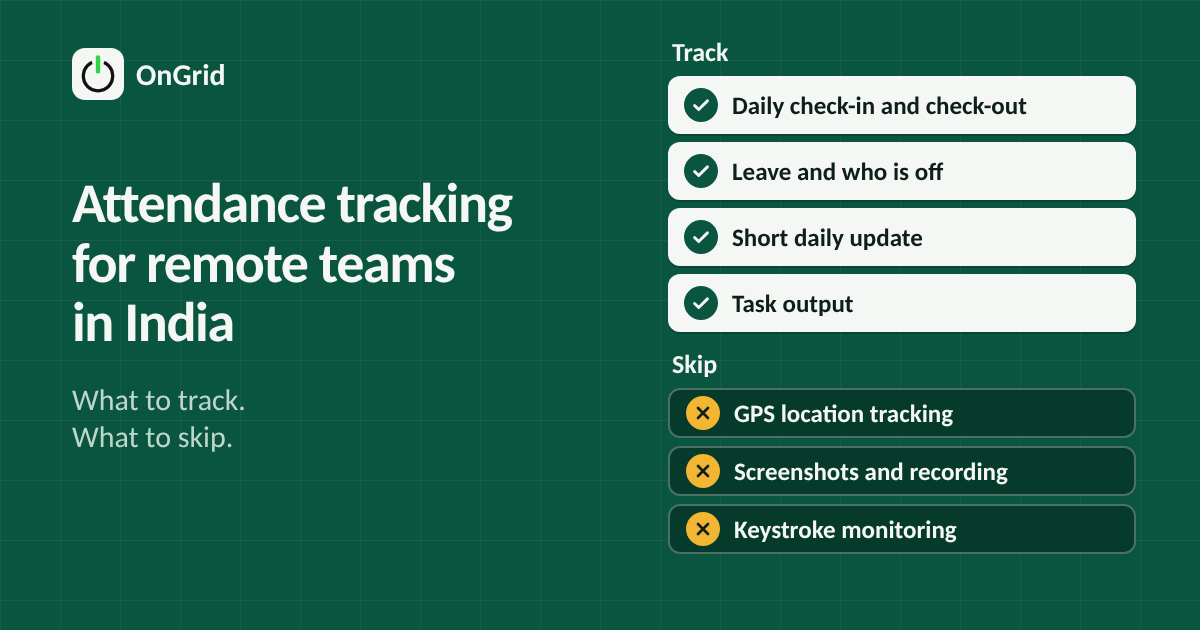
- Attendance tracking for remote teams in India works best when you track four things: a daily check-in, leave and who is off, a short daily update, and task output. Skip GPS and screen monitoring. Write a one-page policy, review attendance patterns weekly, and judge people on results, not hours online.
Attendance tracking for remote teams in India works best when you track four things: a daily check-in, leave and who is off, a short daily update, and task output. Skip GPS and screen monitoring. Write a one-page policy, review attendance patterns weekly, and judge people on results, not hours online.
When a team goes remote or hybrid, managers usually ask the same question: how do we know people are working? Many reach for tools that take screenshots or track GPS, and then wonder why morale drops. Attendance tracking for remote teams in India does not need any of that. This post explains what to track, what to skip, and how to set up attendance tracking for remote teams in India in five simple steps, with a policy template you can copy.
What is attendance tracking for remote teams?
Attendance tracking for remote teams is the practice of recording when people are working, on leave or unavailable, without being in the same office. For remote and hybrid teams, it is less about proving someone sat at a desk and more about knowing who is available, who is off, and whether work is moving. Good tracking gives managers visibility and gives employees clarity, with no surveillance involved.
Why does remote attendance need a different approach?
Because presence is a poor measure of work when people are in different places, and heavy monitoring damages trust. Gallup's research on remote teams found that only 54 percent of managers strongly agree they trust remote employees to be productive, and only 57 percent of employees strongly agree they feel trusted. That data comes from US employees, but the pattern is familiar to any Indian agency: when trust is low, managers reach for monitoring, and monitoring lowers trust further. gallup
Gallup's guidance points the other way: it recommends accountability for results, not attendance. Tracking should answer "who is available and what is getting done," not "who is online right now." gallup
What should you track?
Track four things. Each one is simple and none of them needs special hardware.
What to track | How | Why it helps |
|---|---|---|
Daily check-in and check-out | A one-tap or one-message log of start and end of day | Shows who is working and when people are reachable |
Leave and who is off | A shared leave calendar with approvals | Prevents surprises and protects deadlines |
Short daily update | Three lines: what I did, what I will do, what blocks me | Replaces "are you working?" with evidence |
Task output | Tasks completed against deadlines | Measures the actual outcome |
If your team already uses a daily standup, written or live, that covers the daily update already.
What should you skip?
Skip tools that monitor people instead of tracking work:
GPS location tracking, which is intrusive for people working from home
Screenshots and screen recording, which capture private information
Keystroke and mouse-activity monitoring, which rewards looking busy
Constant camera-on rules, which cause fatigue without improving output
These tools also raise privacy and consent questions under India's data protection rules, so check with a legal adviser before using them. OnGrid deliberately does not offer GPS, biometric or selfie check-in, since trust and results matter more than surveillance for most agencies.
How do you set core hours and working hours?
Set a short window when everyone must be reachable, and leave the rest flexible. For a team in India, "core hours" of 11 AM to 4 PM IST work well, with a fixed total working time per day. Write the core hours down, say how quickly people should reply during them, and explain what happens outside them. Clear expectations matter more than long hours.
How do you handle leave and work-from-home requests?
Put every request through one place, so nothing is lost in chat. A request should include the dates, type (leave, work from home or half day) and who covers urgent work. A manager approves or declines within a set time, such as one working day, and the approved leave appears on the team calendar. In OnGrid, attendance and leave management sits next to the tasks and approvals queue, so managers can see who is off before they assign work. If you run a weekly review meeting, check the upcoming leave calendar there.
How do you set up attendance tracking in five steps?
Write a one-page policy. Cover core hours, check-in method, leave rules and reply times.
Pick one tool. Use one place for check-in, leave and approvals, not three.
Explain why. Tell the team what you track and what you do not track.
Review weekly. Look at patterns, such as missed updates or unapproved absences, not individual minutes.
Revisit every quarter. Ask the team what is working and drop anything nobody uses.
New hires should see this on their first day, so add it to your employee onboarding checklist.
Copy-and-paste remote attendance policy
REMOTE ATTENDANCE POLICY: [Company], effective [date]

1. Working hours: [e.g. 9 hours, flexible start]
   Core hours (everyone reachable): [e.g. 11 AM to 4 PM IST]

2. Daily check-in: Mark start and end of day in [tool] by [time].

3. Daily update: Post three lines by [time]:
   Done / Next / Blocked

4. Leave and work from home:
   Request in [tool] at least [x] days ahead (same day for emergencies).
   Manager responds within [1 working day].

5. Reply times: [e.g. within 2 hours in core hours]

6. What we do not track: location, screenshots, keystrokes.

7. Review: Managers review patterns weekly. Concerns are discussed
   with the person first.

Questions: [name / contact]
Have your HR adviser check the final wording, since leave and record-keeping rules can vary by state and type of organisation.
How do you spot problems early?
Look at patterns, not single events. Missed daily updates three days in a row, repeated unapproved absences, or a sudden drop in completed tasks are signals to talk, not to punish. Start with a private, curious conversation, such as "I noticed your updates have stopped, is everything okay?" Most issues turn out to be workload, health or confusion about expectations.
What mistakes should you avoid?
Tracking hours instead of outcomes. Someone online for ten hours is not necessarily productive.
Using monitoring tools to replace trust. They raise stress and drive good people away.
Having no written policy. Unwritten rules lead to unfair enforcement.
Making leave hard to request. If it is hard, people take it without telling you.
Reviewing only when something goes wrong. A short weekly look prevents big surprises.
Frequently asked questions
How do you track attendance for remote employees in India?
Use a simple daily check-in and check-out, a shared leave calendar with approvals, a short daily written update and task completion data. Avoid GPS and screen monitoring.
Is GPS tracking of remote employees legal in India?
It depends on consent, purpose and how the data is stored, and it can raise privacy concerns. Check with a legal adviser before using it, and consider whether a less intrusive method gives you the information you need.
What is the best attendance software for remote teams?
Choose a tool that handles check-in, leave and approvals in one place, and fits your team size and budget. Features such as biometric or GPS check-in matter little for a remote team.
How do you manage work-from-home attendance?
Ask employees to log start and end of day, post a short daily update and request work-from-home days through a single approvals process that managers can see.
How do you measure productivity without tracking hours?
Track outcomes: tasks completed against deadlines, quality of work, and client feedback, along with the daily update.