Scope Creep in Agencies: How to Stop It (With a Change Request Template)
By OnGrid.work · 14 November 2026 · 3 min read
In short
- Scope creep in agencies is extra work added after the scope was agreed, with no change to the fee or deadline. Stop it by listing what is out of scope at kickoff, logging every extra request as a change request, and sending a quote for the cost and time before starting.
What is scope creep in an agency?
Scope creep is the uncontrolled growth of a project’s requirements after the work has been agreed. The client asks for more, the fee and deadline stay the same, and your team absorbs the difference. A planned change that you quote, approve and schedule is not scope creep. It is a change request.
How common is scope creep?
Very common. PMI’s 2018 Pulse of the Profession found that 52 percent of projects completed in the previous 12 months experienced scope creep or uncontrolled changes to scope, up from 43 percent five years earlier. That survey covers projects in general, not agencies only, but most agency owners will recognise the pattern.
What causes scope creep in agencies?
Four causes account for most cases:
A vague scope. If “social media management” never listed the number of posts, revisions and platforms, every request seems reasonable.
No out-of-scope list. If you only wrote what is included, the client assumes everything else is too.
Saying yes in chat. A quick “sure, no problem” on WhatsApp creates a new commitment with no price.
No single approver. If five people on the client side can request changes, you get conflicting asks.
How do you tell a change request from a normal revision?
A revision is a correction inside the agreed scope. A change request is new work. Agree the difference at kickoff and put it in writing.
Type of request | Example | What to do |
|---|---|---|
Included revision | Second round of edits on a homepage design, as agreed | Do it, no extra charge |
Clarification | “I meant the blue from the brand guide” | Do it, note the correction |
Change request | “Add a pricing page we did not discuss” | Send a quote and wait for approval |
New project | “Can you also build us an app?” | Write a separate proposal |
If you have not defined what is in and out yet, our client kickoff meeting agenda includes a ten-minute scope section for exactly this.
What should you say when a client asks for extra work?
Say yes to the client and no to free work, using the same reply every time so it never feels personal:
“Happy to do that. It is outside the current scope, so let me send you a quick quote with the cost and the effect on the timeline. Once you approve it, we will schedule it in.”
Avoid “sorry, we can’t,” which sounds like a refusal, and avoid “sure,” which sounds like a free upgrade.
How do you handle a change request step by step?
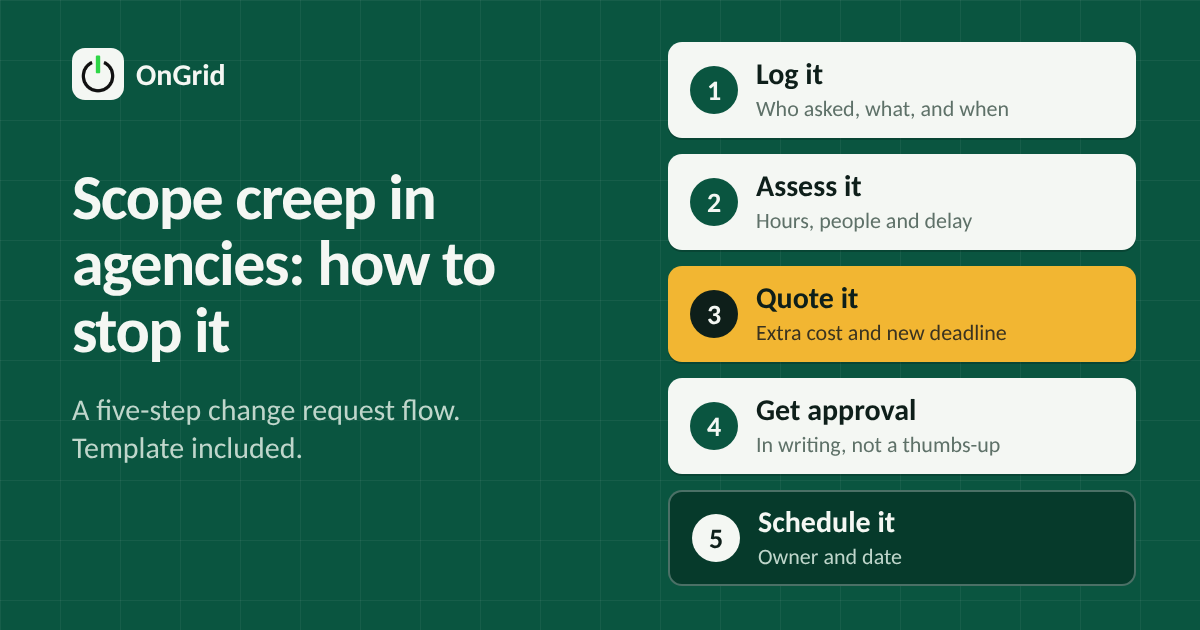
Use this five-step change request flow:
Log it. Record who asked, when, and what they asked for, in one place and not inside a chat thread.
Assess it. Estimate the hours, who is needed, and what it pushes back.
Quote it. Give the extra cost (state whether GST is extra) and the new deadline.
Get written approval. An email reply saying “approved” is enough. A thumbs-up on a call is not.
Schedule it. Add it to the plan with an owner and a date, and tell the team.
Before you say yes, check whether your team can take it. Our workload management guide shows how to see capacity first.
Copy-and-paste change request template
CHANGE REQUEST: [Client / Project], [Date]
Request number: CR-001

Requested by:
What is being asked (one or two lines):

Why it is outside the current scope:

Extra work needed (tasks and hours):
Extra cost (₹, GST extra):
Effect on timeline (new delivery date):

What stays the same:

To approve: reply "approved" to this message.
Approver name / date:
Keep it to one page. A client who can read the request in under a minute approves it faster.
How do you stop scope creep before it starts?
Write the out-of-scope list at kickoff and read it aloud in the meeting.
State revision limits, such as two rounds of edits, and what a third round costs.
Name one approver on the client side.
Send a weekly update that lists open requests. Our client status report template shows how.
Check additions every week in your weekly review meeting, while creep is still small.
What if the client refuses to pay for extras?
Offer a swap before a refusal: “We can add this if we move the pricing page to phase two.” Trading scope protects the budget and timeline without a confrontation. If you choose to absorb a small request to protect the relationship, say in writing that it is a one-off, so it does not become the new standard.
Frequently asked questions
What is the difference between scope creep and a change request?
A change request is a formal, quoted and approved change to the scope. Scope creep is the same extra work added without a quote, approval or change to the timeline.
Is scope creep always the client’s fault?
No. Vague proposals, missing out-of-scope lists and teams offering extras without pricing them are all common causes. Tightening your own process fixes more than blaming the client.
Should an agency ever do extra work for free?
Occasionally, for small items and valuable relationships, but label it as a one-off in writing. If it happens regularly, it becomes the expected standard.
How do you charge for scope changes on a retainer?
Define the monthly deliverables clearly. Anything beyond them is billed hourly or as a fixed add-on, or it replaces something of equal size within the same month.
How do you track change requests?
Keep requests, approvals and status in one visible place, such as a shared sheet or your project tool. The aim is a single record, not scattered chat messages.