How to Stop Chasing Your Team for Task Updates
By Gaurav Sharma · 14 October 2026 · 7 min read
In short
- Task tracking for teams works best when every task has a clear owner, deadline, and status. Learn how to make progress visible, identify blockers early, balance workloads, and reduce unnecessary follow-ups without micromanaging your team.
"What's the status of this task?"
If you manage a team, you've probably asked this question more times than you'd like. You send a message in the morning, get a quick reply, and move on to something else. A few hours later, you check again because the task still isn't finished.
Sometimes the person is busy working. Sometimes they're waiting for feedback. And sometimes, nobody has raised a problem that could affect the deadline.
The issue isn't always that people aren't doing their jobs. Often, managers simply don't have a reliable way to see what's happening.
Task tracking for teams should make it easy to understand what is in progress, what is delayed, and what needs attention without turning every update into a conversation.
Here's how to make that happen.
Why Do Managers Keep Asking for Task Updates?
Repeated follow-ups usually point to a gap in the way work is organized.
Tasks Don't Have Clear Statuses
When a task has a title, an assignee, and a deadline but no meaningful status, it's difficult to know whether work has started or how close it is to completion.
A manager may have to contact the assigned person just to find out whether anything has changed.
Updates Are Scattered Across Chats
An employee might share an update in a group chat, another in an email, and a third during a meeting. Even when the information exists, finding it later can be difficult.
The result is repeated questions and time spent searching for information that someone has already shared.
Problems Are Reported Too Late
A task might be blocked because a client hasn't approved a design or another team member hasn't supplied a required file. If nobody flags the issue, the manager may assume everything is on track.
By the time the delay becomes visible, the team has fewer options for fixing it.
Managers Can't See the Whole Picture
When several projects are running simultaneously, checking every task individually isn't practical. Managers need a shared view of progress, upcoming deadlines, and work that needs attention.
Without one, follow-ups become a manual reporting system.
1. Give Every Task a Clear Owner and Deadline
Start with the basics. Every task should have one clearly accountable owner, a specific deliverable, and a realistic deadline.
For example, "Prepare the client presentation" is a reasonable task title, but it becomes more useful when the task also explains what the presentation must include, who is responsible, and when the first draft is due.
Other team members can still contribute. The owner is simply responsible for moving the task forward and making sure the next step is clear.
This reduces confusion and makes it easier to understand who needs to act when something gets delayed.
2. Use Task Statuses That Reflect Real Progress
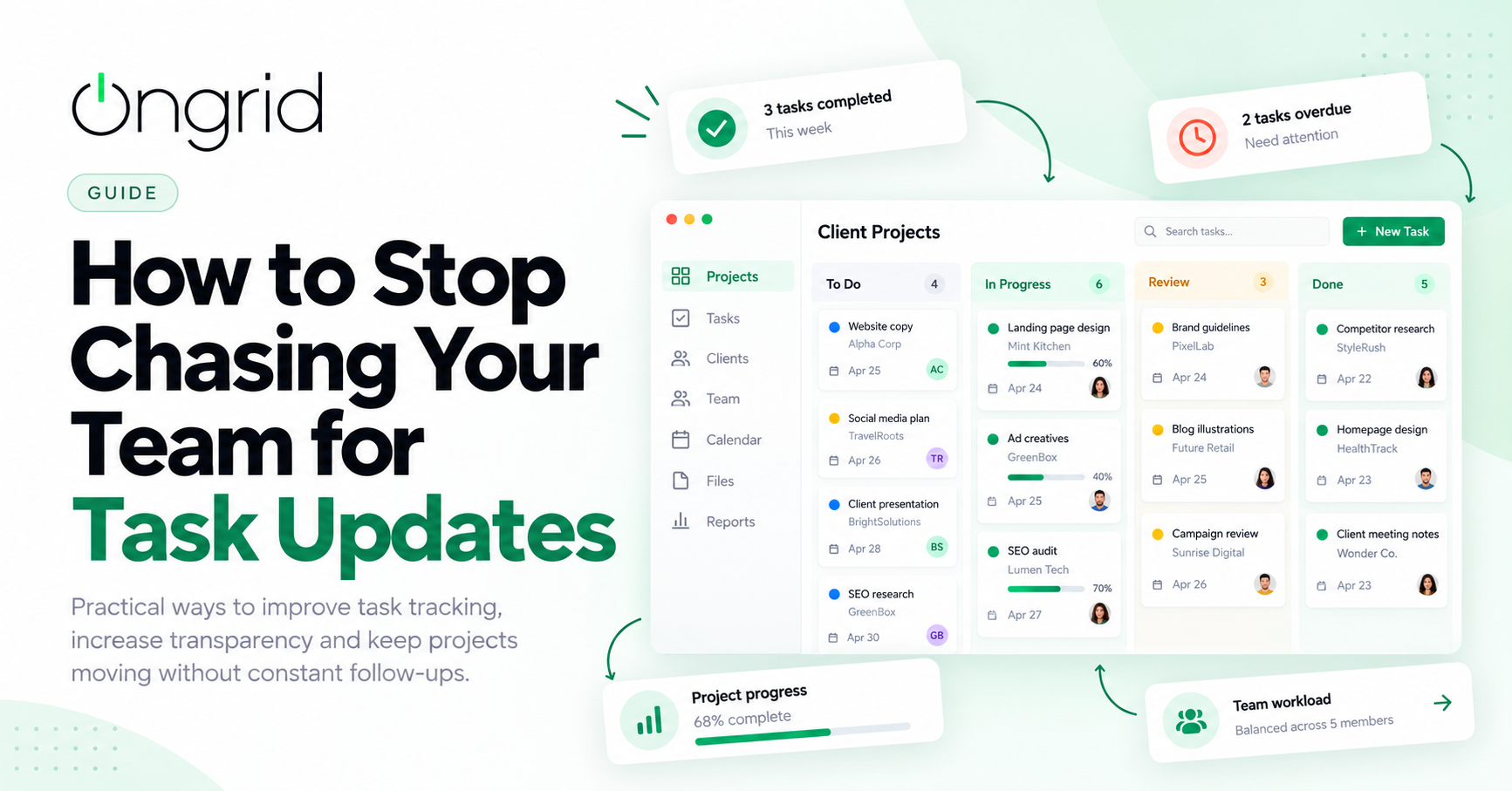
A simple task board can answer many of the questions managers would otherwise ask manually.
A workflow might look like this:
Backlog → In Progress → Submitted → Reviewed → Approved/Done
Each status should have a clear meaning.
Backlog: The task hasn't started.
In Progress: Someone is actively working on it.
Submitted: The work is ready for review.
Reviewed: The work has been checked and is awaiting its next step.
Approved/Done: The work has been accepted and completed.
If revisions are required, the task should return to the appropriate working stage with feedback attached.
This gives managers a more accurate view of progress than a simple completed or incomplete checkbox.
3. Create One Place to Track Team Progress
Your team shouldn't have to update a spreadsheet, send a chat message, and fill out a separate report to communicate the same information.
Keep tasks and project updates in one central system wherever possible.
A useful overview should show:
Active projects and their current progress
Tasks assigned to each team member
Upcoming and overdue deadlines
Tasks waiting for review or approval
Blockers that need attention
For example, a manager overseeing a website redesign, a content campaign, and a client presentation should be able to see which deliverables are progressing and which are waiting for someone else's input.
Project management tools can support this through task boards, lists, and dashboards. The important part is keeping the information accurate and easy to find.
4. Establish a Simple Daily Update Routine
Not every task needs a meeting, and not every employee needs to explain their work several times a day.
A lightweight daily update can cover three questions:
What did you complete?
What are you working on next?
Is anything blocking your progress?
The update can be recorded against the relevant tasks or shared through an agreed team check-in process.
Set expectations that make sense for the work. A small task might need only a status change, while a complex project may require more context.
The goal is to give managers enough information to make decisions without creating unnecessary reporting work for employees.
5. Make Blocked Tasks Easy to Identify
When a task stops moving, the next step should be clear.
Maybe the employee needs information from a client. Perhaps another department must finish its work first, or a manager needs to approve the submitted deliverable.
Give team members a straightforward way to flag these blockers and explain what they need.
Managers can then focus on removing obstacles instead of repeatedly asking for progress.
For example, if a campaign is waiting for client approval, reminding the designer to finish the work won't solve the problem. The next action belongs to whoever can obtain that approval.
Early visibility makes it easier to respond before a deadline is missed.
6. Track Workload Alongside Task Status
Sometimes a task is delayed because the assigned person has too much work.
Consider a designer who is responsible for creatives across four client projects. Each project manager may believe their own deadline is reasonable, but the combined workload could be unrealistic.
A task tracking system should help managers understand current assignments, upcoming deadlines, and available capacity.
When someone is overloaded, redistribute work or adjust priorities before the delays spread to other projects.
This is especially important for agencies where team members regularly work across several client accounts.
7. Build Accountability Without Micromanaging
Visibility and micromanagement are not the same thing.
Managers need to know whether commitments are being met, but employees should still have room to decide how they complete their work.
Make responsibilities clear, agree on deadlines, and establish when updates are expected. When something falls behind, find out why before assuming the person isn't working.
Was the deadline unrealistic? Did the requirements change? Is another task blocking progress?
These questions lead to better decisions than sending repeated reminders.
A reliable workflow makes accountability part of the process instead of relying on constant supervision.
8. Keep Important Updates Out of Chat History
Chat is useful for quick discussions, questions, and decisions. It is less reliable as the only place to record ongoing work.
If a client changes a requirement, update the relevant task. If a deadline moves, change the due date. If a deliverable is approved, record the decision against that deliverable.
This gives everyone a shared reference point and helps someone taking over the work understand what has happened.
It also reduces the risk of employees working from outdated instructions.
What Should Task Tracking Software Include?
When choosing task tracking software for teams, look for features that support the way your team actually works.
A useful system should include:
Task assignments and deadlines
Clear status workflows
Project boards or table views
Comments, files, and revision history
Overdue and blocked task visibility
Review and approval workflows
Project progress tracking
Team workload visibility
For agencies, connecting these features with project briefs, client information, and other business operations can make the overall process even easier to manage.
The best tool is not necessarily the one with the most features. It is the one your team can use consistently without creating more administrative work.
How OnGrid Helps Teams Stay Updated
OnGrid is built for agencies that want to manage work without relying on scattered conversations and constant reminders.
Teams can create structured briefs, assign tasks, track progress through defined stages, and keep comments and revisions connected to the relevant work.
Project boards help managers review progress, while visibility into pending approvals, deadlines, and team workload makes it easier to identify tasks that need attention.
OnGrid also brings together client management, CRM, expenses, content planning, and team engagement, helping agencies manage more of their operations from one place.
The aim is simple: give managers a clearer view of the work and let employees spend less time reporting progress manually.
Final Thoughts
If you find yourself constantly asking your team for task updates, start by examining why the information isn't visible in the first place.
Give every task a clear owner and deadline. Use meaningful statuses, keep updates connected to the work, and make it easy to flag blockers. Review workloads before assigning more tasks, and establish a simple routine for sharing important changes.
Most importantly, make the system useful for the people doing the work, not just the people managing it.
When everyone knows where to find task information and how to keep it updated, follow-ups become more purposeful.
The goal isn't to stop communicating with your team. It's to stop needing a conversation just to find out what's happening.
Frequently asked questions
1. What is task tracking for teams?
Task tracking for teams is the process of assigning, organizing, and monitoring work so everyone can see task ownership, deadlines, status, and progress.
2. How can managers reduce the need for task updates?
Managers can reduce manual follow-ups by using clear task statuses, assigning owners and deadlines, maintaining a shared project board, and asking team members to flag blockers early.
3. What is the best way to track employee task progress?
Use a central task management system where employees update their work as it progresses. Combine task statuses with realistic deadlines and regular reviews of blocked or overdue work.
4. How can teams improve accountability without micromanagement?
Set clear expectations, give each task an accountable owner, agree on update routines, and address delays by understanding their causes rather than monitoring every action.
5. What features should task tracking software have?
Look for task assignments, deadlines, status workflows, project views, comments, blocker tracking, approvals, and workload visibility. Agencies may also benefit from connecting tasks with briefs and client projects.